iPhone · Android · Web

Learn birds by ear, wherever you hear them

Sound ID names the birds singing around you, right on your phone. Save a call, slow it down, and turn what you heard into practice. Your lessons and progress follow you between the apps and the website.

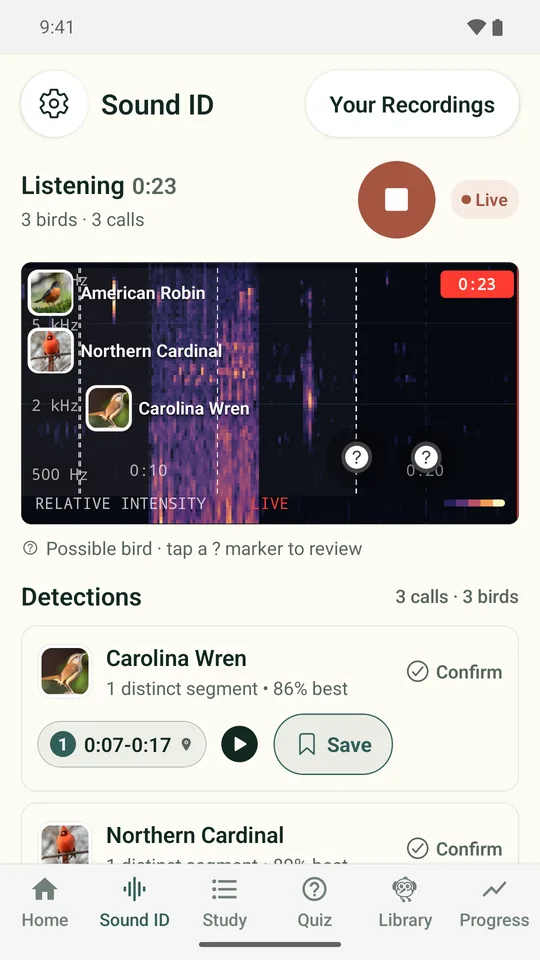
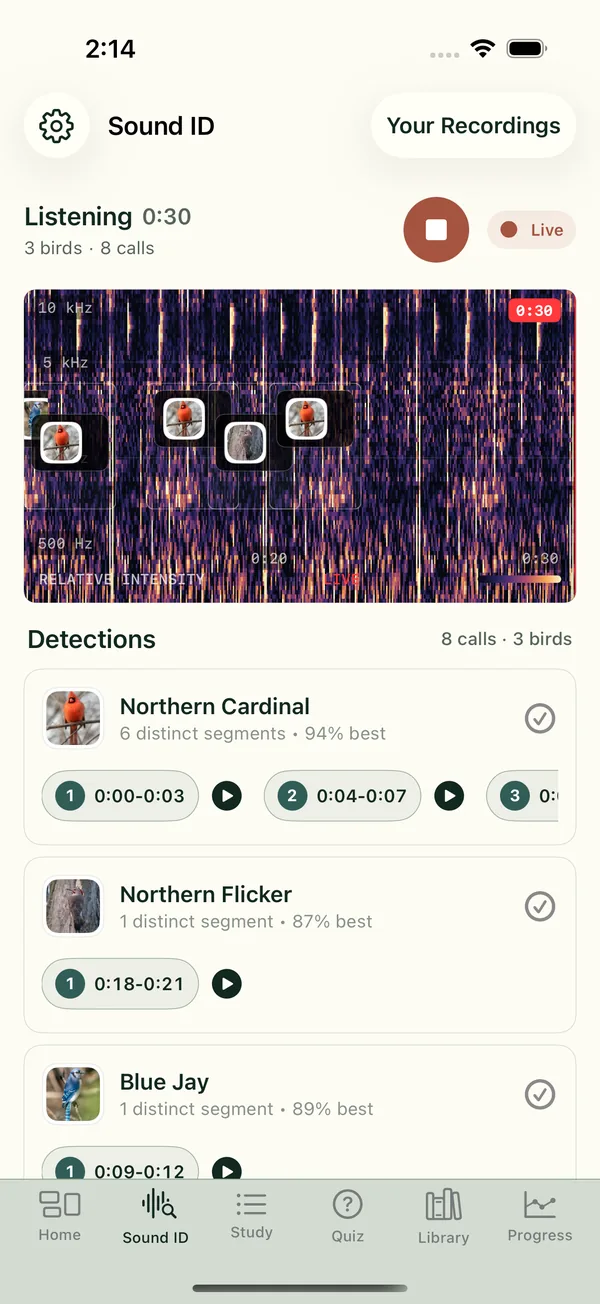
BirdBrain on iPhone: Sound ID listening, with a live spectrogram and Northern Cardinal, Northern Flicker and Blue Jay detectionsBirdBrain on Android: Sound ID naming birds on a live spectrogram

What you can do with the apps

Sound ID on your phone

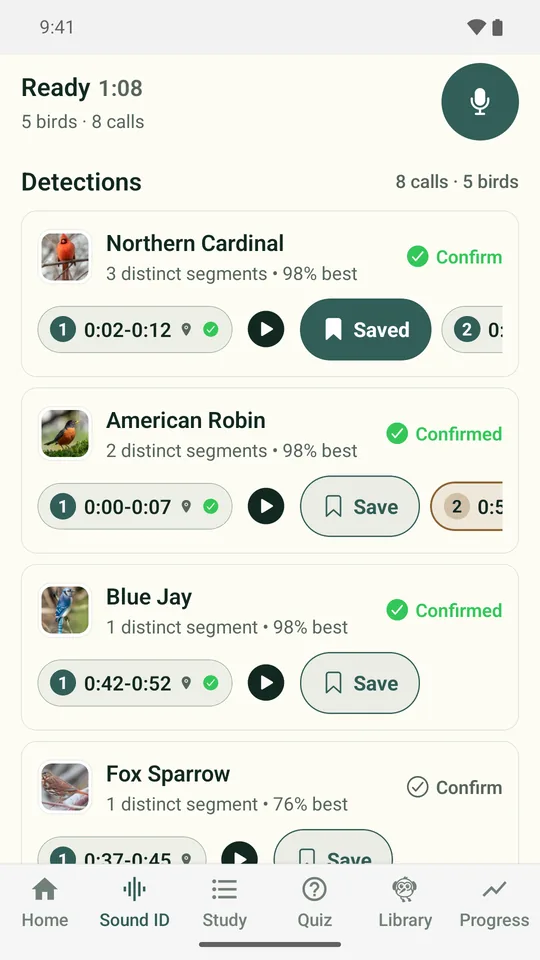
Tap record and watch a live spectrogram as Sound ID names the birds it hears. Identification runs on the phone, so no audio is uploaded to identify a bird.

Every call on a timeline

Each detection is marked with the bird's picture. Tap one to replay just that call, and confirm the birds you actually heard.

Practice with your own birds

Saved calls become private practice material, so the birds from your yard show up in your quizzes.

Lessons that build up

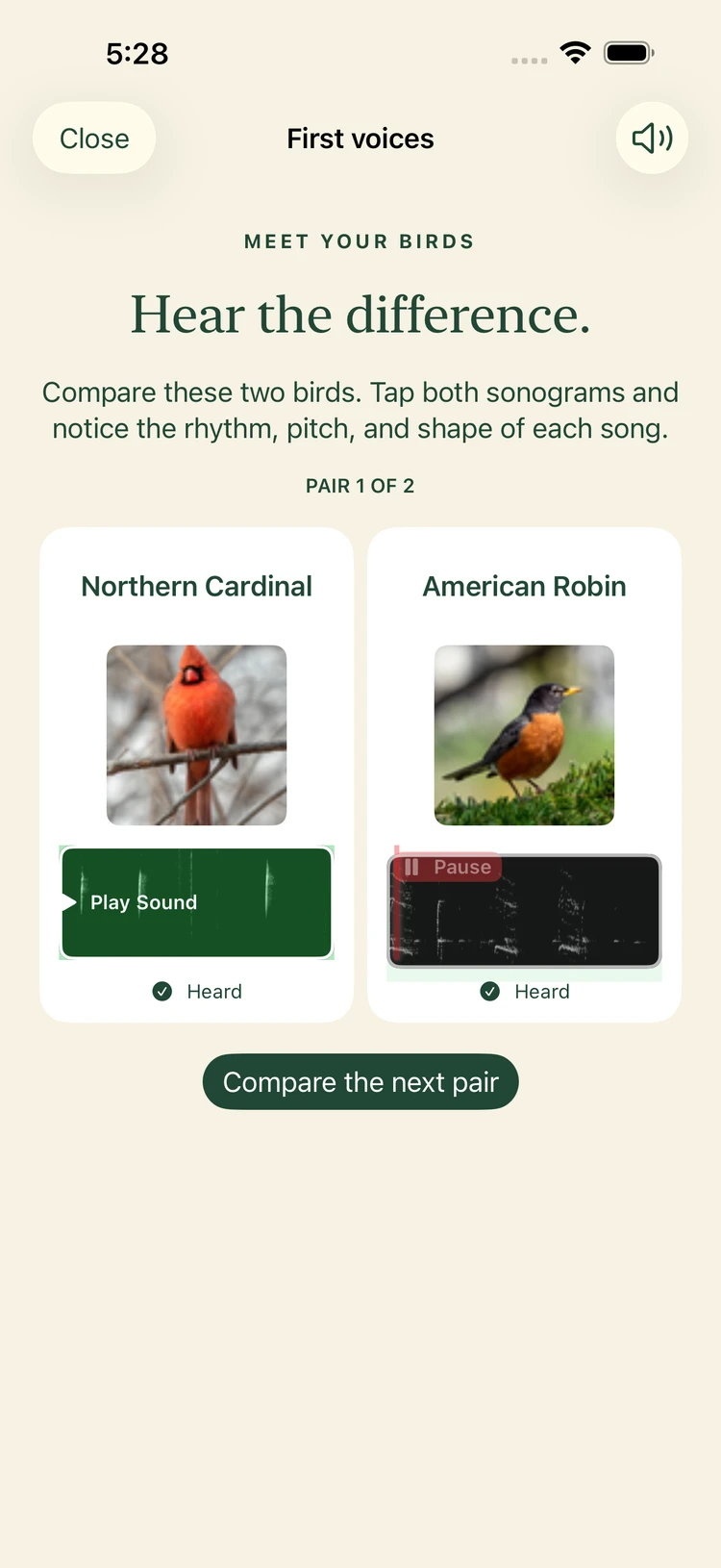
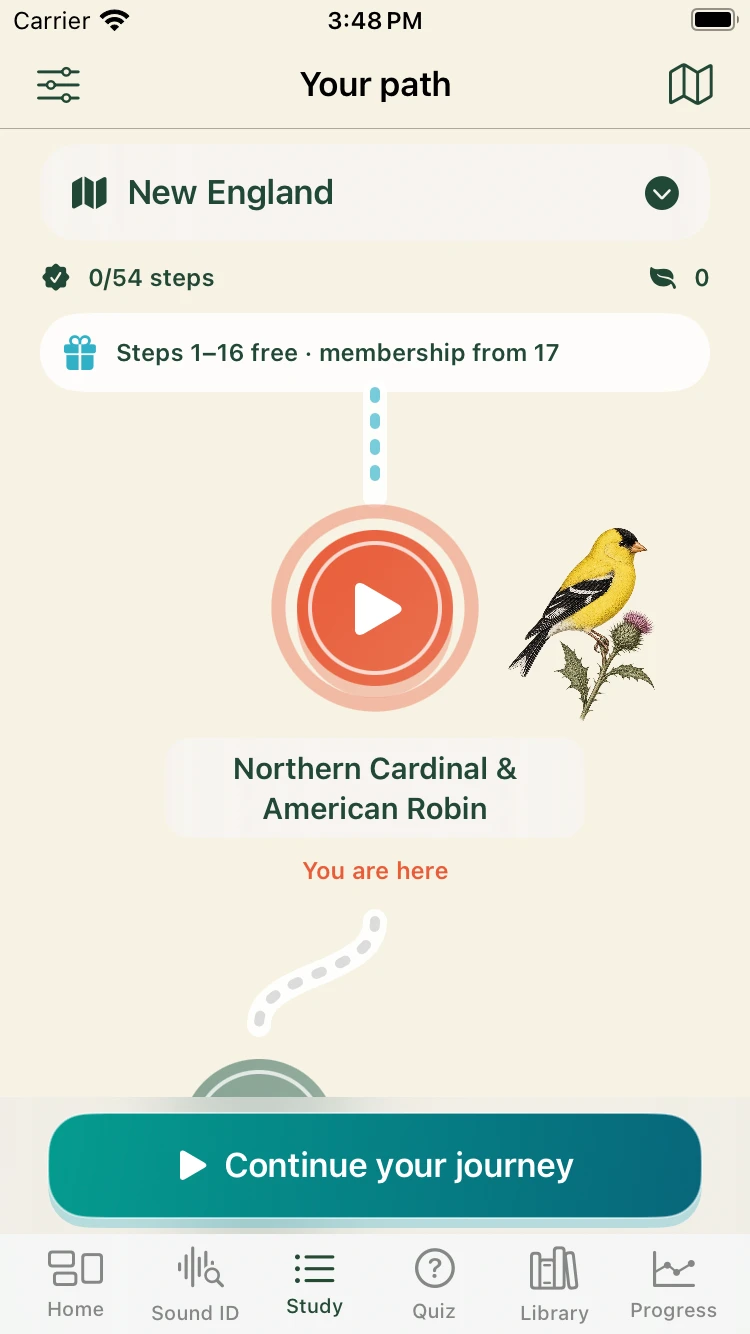
Bird sound basics, regional paths and themed lists, with short sessions that bring each bird back until you know it.

One account everywhere

Sign in with the same account on the web, iPhone and Android to keep your path progress and study history together.

Your recordings stay yours

Recordings stay on your phone unless you choose to submit one. Nothing is published automatically.
Choose your phone

Beta on TestFlight

BirdBrain for iPhone

iPhone Sound ID listening with a live spectrogram and detections for Northern Cardinal, Northern Flicker and Blue JayiPhone lesson comparing Northern Cardinal and American Robin sounds side by sideiPhone regional learning path for New England
  • Sound ID with a live spectrogram and ranked candidates when birds sound alike.
  • Your Recordings keeps each session with its detected calls.
  • Add clips to a private exercise library, or submit one for review.
  • Lessons, regional paths and themed lists, synced with the website.

Closed testing on Google Play

BirdBrain for Android

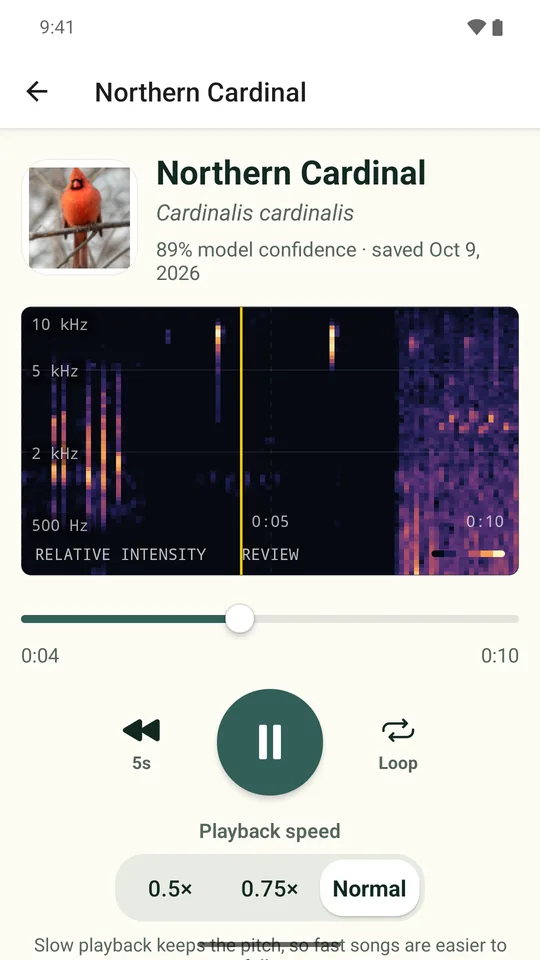
Android Sound ID naming birds on a live spectrogramAndroid Sound ID with a saved and confirmed bird callAndroid player for a saved clip with sonogram, slow playback and loop controls
  • Sound ID with a live spectrogram; one tap saves a call and confirms the bird.
  • Replay saved clips at half or three-quarter speed without changing the pitch, and loop a phrase.
  • Export confirmed birds as an eBird checklist file to review and submit at ebird.org.
  • Lessons, regional paths and themed lists, synced with the website.

Join the beta

Both apps are in testing before their public release. Leave your email and we will send you an invitation when there is room. We only use your email for the beta and app launch news.

Your phone

Android testers need the Google account email they use for Google Play. iPhone testers receive a TestFlight invitation.

See our privacy policy.

Questions

Do the apps cost anything?

The apps are free to download, and Bird sound basics and the free lessons need no payment. Membership unlocks every region and list and the full recording library. It is the same membership as on the website.

When will the apps be in the App Store and Google Play?

Both apps are in beta now. Join the beta above and we will email you an invitation, and again when each app is publicly available.

Does Sound ID upload my audio?

No. Sound ID analyzes microphone audio on your phone. Audio only leaves your phone if you choose to submit a recording.

Can I use BirdBrain without the app?

Yes. Lessons, quizzes and the bird library work in any modern browser at birdbrain.academy, with no signup needed to start.

Do I need an account?

No. You can study as a guest. Signing in keeps your progress in sync between the website and the apps.